
Gen-2 vs Gen-2.5: Choosing the Right Thumbnail Model
Gen-2 (20 credits) is best for face consistency and photoreal entertainment thumbnails; Gen-2.5 (16 credits) is faster, cheaper and better for graphics and charts. There is no universal winner, so run the same prompt through both models once and keep whichever fits your channel.

Quick answer: Gen-2 (20 credits) is best for face consistency and photoreal entertainment thumbnails; Gen-2.5 (16 credits) is faster, cheaper and better for graphics and charts. There is no universal winner, so run the same prompt through both models once and keep whichever fits your channel.
The 1of10 Thumbnail Generator gives you two models, and the choice between them is not cosmetic. Pick the right one and your first batch of thumbnails lands close to what you wanted. Pick the wrong one and you burn extra credits regenerating to fix problems the other model would not have had. The two models are 1of10-Gen-2 and 1of10-Gen-2.5, and this guide breaks down exactly what each is good at, what each costs, and how to decide in the two seconds it takes to set the dropdown.
If you want the tool in full first, read The Complete Guide to the 1of10 Thumbnail Generator. This post is the deep dive on the one setting that shapes how every generation gets rendered.
The short answer

If you make entertainment, lifestyle, vlog, challenge, or any content where your face and a believable scene carry the thumbnail, start with Gen-2. If you make educational, finance, tech, or any content that leans on charts, graphics, clean text, or graphic-heavy compositions, start with Gen-2.5. Then test the other one. Neither is universally better, and the only way to know your channel's best model is to run the same prompt through both and compare.
Now the detail, because "test both" is only useful if you know what you are looking for.
Gen-2: the photoreal, face-first model
Gen-2 costs 20 credits per generation. It is the model built for realism and identity. Two strengths define it.
Face consistency. This is the hard problem in AI thumbnails. A face that looks like you in one image and like your cousin in the next destroys the trust a channel builds with its audience. Gen-2 is tuned to hold a likeness, which is why it is the default when you have linked a channel whose thumbnails feature your face. The face stays yours across generations, and across the edits you make afterward.
Photoreal scenes. Gen-2 produces believable people, environments, lighting, and physical action. When your thumbnail is a real-looking moment, a creator mid-action, a product in a real setting, a reaction caught at the right instant, Gen-2 renders it in a way that reads as a photo rather than an illustration. For entertainment and challenge channels, that realism is the whole game.
The trade is cost and speed. At 20 credits it is the pricier option, and it is not the fastest. For the thumbnails it is built for, that cost buys quality you would spend more credits chasing on the other model.
Gen-2.5: the faster, cheaper, graphics-strong model
Gen-2.5 costs 16 credits per generation and is the newer model. It was built to be quicker and cheaper while pulling ahead in a specific area.
Graphics and charts. This is where Gen-2.5 earns its place. Thumbnails that need a clean upward or downward chart, a clear graphic element, crisp on-image numbers, or a composition that is more designed than photographed tend to come out better on Gen-2.5. Educational and finance creators, whose thumbnails often carry a data point or a diagram, frequently get stronger first results here.
Speed and cost. At 16 credits it is 20% cheaper than Gen-2 per generation, and it is faster. When you are iterating, which the tool is designed for, those savings add up across a session. If a model gets you to the right thumbnail in fewer, cheaper, faster passes for your kind of content, that is the better model for you regardless of which one is newer.
The trade is that for pure photoreal face work, Gen-2 still tends to hold likeness more reliably. Gen-2.5 is excellent, but if your thumbnail lives or dies on a flawless face, start with Gen-2 and only switch if the results say otherwise.
A side-by-side view
| Gen-2 | Gen-2.5 | |
|---|---|---|
| Cost | 20 credits | 16 credits |
| Speed | Standard | Faster |
| Best at | Face consistency, photoreal scenes | Graphics, charts, clean compositions |
| Default for | Entertainment, lifestyle, challenge, vlog | Educational, finance, tech, data-led |
| Watch out | Pricier, not the fastest | Photoreal faces can need more checking |
Treat the table as a starting bias, not a rule. The deciding test is your own channel.
What the difference looks like in practice
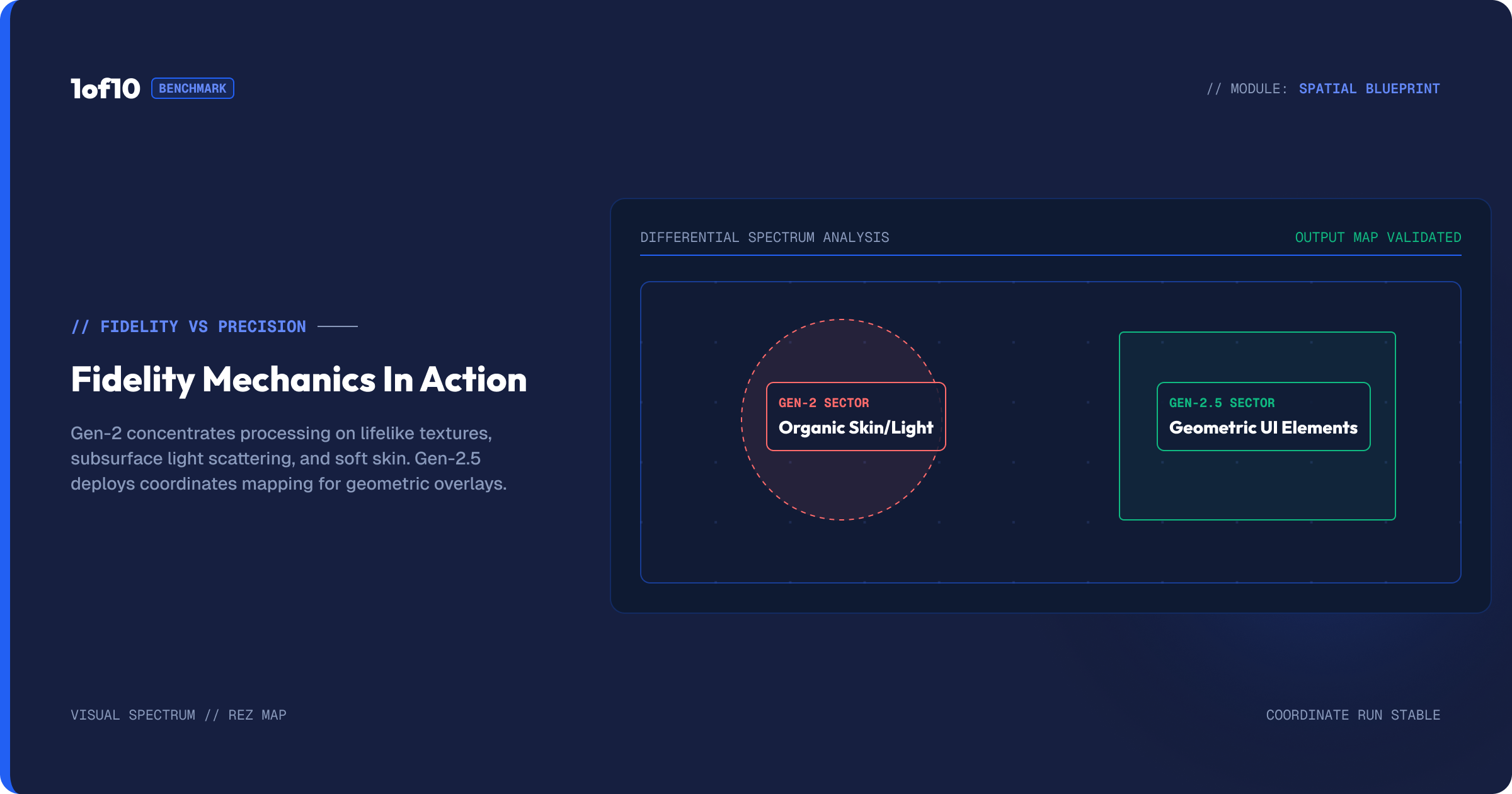
Abstract talk about "photoreal" and "graphics-strong" only goes so far. Here is how the gap shows up on actual thumbnails.
Say you are making a thumbnail of yourself holding a product, shocked, with a price slashed in the corner. On Gen-2, the version of you holding the product looks like a photograph: real skin, real lighting, a believable hand on a believable object, your face unmistakably yours. The slashed price is fine but secondary. On Gen-2.5, the price graphic and any on-image numbers come out cleaner and sharper, but the photoreal realism of the hand and product is a touch less convincing. If the thumbnail sells on the realism of you and the product, Gen-2 wins. If it sells on a bold, clean graphic, Gen-2.5 wins.
Now flip it. You are making a thumbnail about a stock that crashed, with a steep red chart and your reaction beside it. On Gen-2.5, the chart is crisp, the line is clean, the whole thing reads as a designed graphic. On Gen-2, the scene is more photoreal but the chart can come out softer or less precise, because photoreal rendering and clean vector-style graphics pull in different directions. Here Gen-2.5 is the obvious pick.
The pattern underneath both examples: Gen-2 optimises for "this looks real," Gen-2.5 optimises for "this looks clean and designed." Decide which of those two your thumbnail depends on and the model picks itself.
How to actually choose: the two-generation test
Reading about models only gets you so far. Here is the test that settles it for your channel in one sitting.
- Write one detailed prompt for a real upcoming video. Use the structure from The Detailed-Prompt Method: title, composition, background, text.
- Generate it on Gen-2.
- Switch the model dropdown to Gen-2.5 and generate the same prompt again.
- Put the eight results side by side.
Look at three things. Which model nailed your face and likeness. Which handled the scene or graphic you needed. Which gave you more usable options out of the four. Whichever model wins on the things your thumbnails depend on is your default from now on. The test costs 36 credits once and saves you far more than that across every thumbnail after it.
Model choice does not stand alone
The model is one of three settings across the top of the tool, and they work together. Before you pick a model, link your channel so either model knows your face and style. After you pick a model, set your format for landscape or Shorts. The model decides how your thumbnail is rendered; the channel link decides who is in it; the format decides its shape.
The model choice also interacts with how you iterate. Because Gen-2.5 is cheaper and faster, it can be the better model to iterate on when you are doing many corrective passes, even on content where Gen-2 might win the final render. Some creators rough out a composition on Gen-2.5, then run the final on Gen-2 for the likeness. There is no rule against mixing, and the tool makes switching a one-click change.
When each model wins, by channel type
Challenge and stunt channels. Gen-2. The thumbnail is a real, dramatic, physical moment with your face front and centre. Realism and likeness are everything.
Finance and business channels. Gen-2.5. The thumbnail often carries a chart, a number, or a clean graphic next to a reaction. Graphics strength matters more than photoreal perfection.
Vlog and lifestyle channels. Gen-2. Believable people and scenes, consistent face, natural lighting.
Tech and review channels. Test both. Product realism leans Gen-2, while clean graphic overlays and spec callouts lean Gen-2.5.
Gaming channels. Test both. Photoreal reaction faces lean Gen-2, while stylised or graphic-heavy compositions can favour Gen-2.5. For genre-specific examples, see Gaming Thumbnails: The Proven Formula That Gets Clicks.
Educational and how-to channels. Gen-2.5. Diagrams, labels, and clear graphic elements are the bread and butter.
Credits at scale: the cost difference over a month
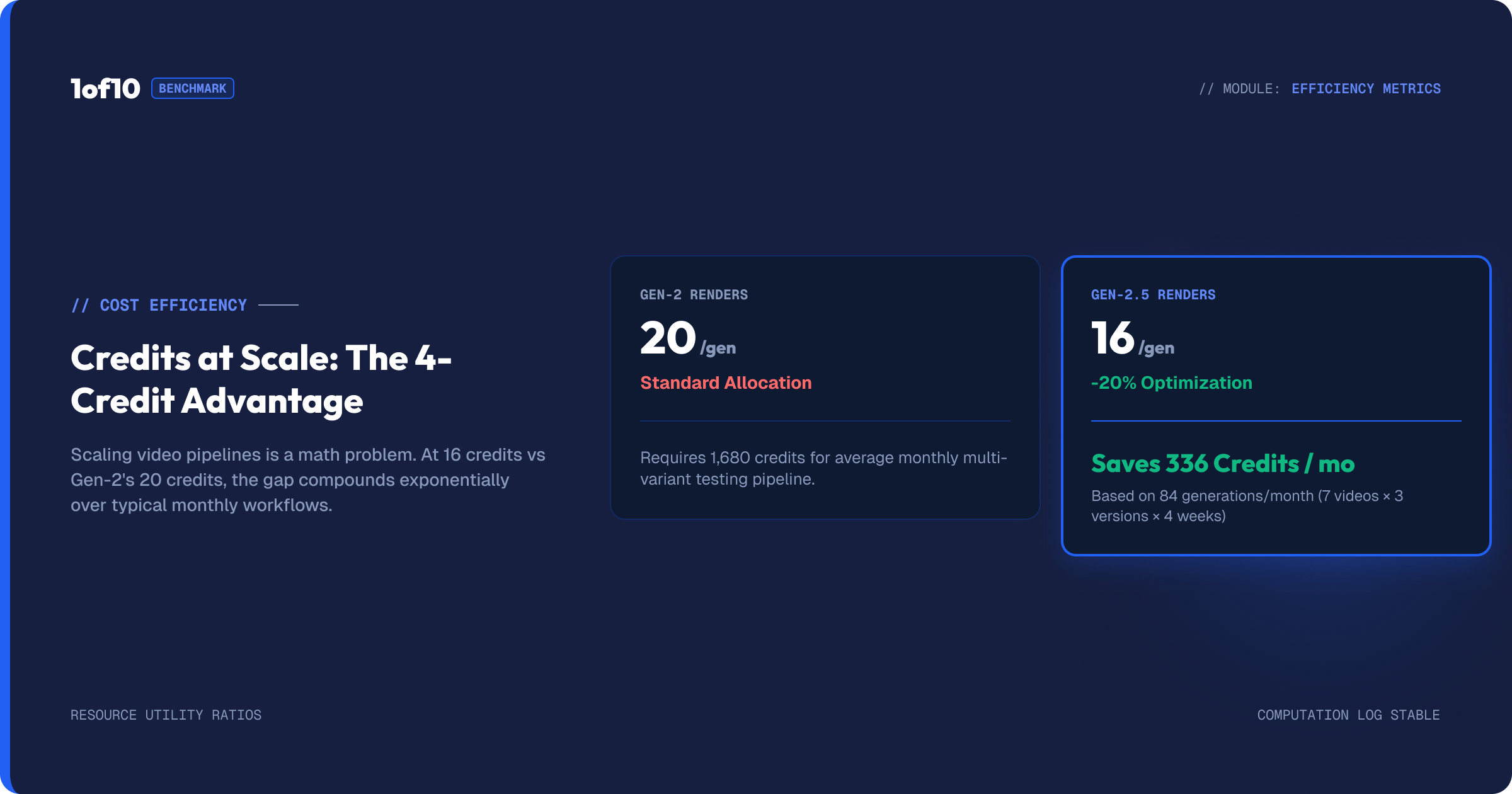
The 4-credit gap between Gen-2 (20) and Gen-2.5 (16) looks small on one generation. Run the math across a real publishing schedule and it stops being small.
Say you publish three long-form videos and four Shorts a week, and you typically run three generations per thumbnail to land on a winner. That is seven thumbnails times three generations, so 21 generations a week, around 90 a month. On Gen-2 that is roughly 1,800 credits a month in generation alone. On Gen-2.5 it is roughly 1,440. The 360-credit monthly difference is real, and it grows with your output.
The takeaway is not "always use the cheaper model." It is "use the cheaper model where it does not cost you quality." For graphics-led thumbnails, Gen-2.5 is both cheaper and better, which is a clean win. For face-led thumbnails, the question is whether Gen-2's likeness advantage is worth the premium, and for most face-driven channels it is, because a wrong face costs you more in lost clicks than you save in credits. Match the model to the thumbnail, and let the savings land where they are free.
Common mistakes
Never switching off the default. The tool defaults to a model, and many creators never change it. If your content is graphics-led and you are running Gen-2 by habit, you are working against yourself. Run the two-generation test once and set your real default.
Judging a model on one prompt. A single weak generation is not a verdict. Models vary across prompts. Compare four results from each, not one.
Ignoring cost when you iterate. If you make ten corrective passes per thumbnail, the 4-credit gap per generation between Gen-2.5 and Gen-2 is real money. Factor it in, especially for high-volume channels.
Forgetting to link the channel first. Model choice cannot fix a missing channel link. Identity comes from the link; the model only renders it. Set both.
Switching models mid-project
You are not locked into one model for the life of a thumbnail. The dropdown is a one-click change, and there are real reasons to switch partway through.
The most common pattern is roughing on the cheap model and finishing on the expensive one. You explore compositions on Gen-2.5, where each generation is faster and costs 16 credits, run several iterations to nail the layout, then switch to Gen-2 for the final pass when you want the photoreal face locked in. You get the cost efficiency of the cheaper model during the exploratory phase, where you generate the most, and the quality of the pricier model only on the final render, where it counts.
The reverse can also make sense. If you start on Gen-2 and realise the thumbnail is really a graphics piece, a chart or a clean designed layout rather than a photoreal scene, switch to Gen-2.5 and let it handle what it is better at. There is no penalty for changing your mind. The channel link, the prompt, and the format all carry over; only the rendering model changes. Treat the two models as tools in the same kit rather than a one-time fork in the road, and use whichever fits the stage you are at. For the iteration habit this supports, see The Detailed-Prompt Method.
Frequently asked questions
Which is the best AI thumbnail generator model, Gen-2 or Gen-2.5? There is no single best. Gen-2 (20 credits) is best for face consistency and photoreal entertainment thumbnails. Gen-2.5 (16 credits) is faster, cheaper, and best for graphics, charts, and clean compositions. Test both on your channel and keep the stronger one.
Why is Gen-2.5 cheaper if it is newer? Gen-2.5 was built to be faster and more efficient. The lower 16-credit cost reflects that, and it is also stronger on graphics. It is not a downgrade, it is a different tool for different thumbnails.
Can I use both models on the same thumbnail? Yes. Some creators rough out a composition on the cheaper, faster Gen-2.5 and run the final pass on Gen-2 for likeness. Switching models is a one-click change in the dropdown.
Does the model affect how well my face comes out? Yes. Gen-2 tends to hold facial likeness more reliably, which is why it is the default for face-led channels. If your face is the focus and the likeness keeps missing on Gen-2.5, switch to Gen-2.
How much does it cost to test both? One generation on each is 36 credits total (20 plus 16). It is the cheapest way to lock in the right default for every thumbnail you make afterward.
Does my model choice carry into the editor? Partly. Editor tools that generate new image content, like Magic Edit and re-prompting from the editor, are influenced by the model, so keeping the edit style consistent with how you generated tends to blend best. Tools like Magic Eraser and Text behave the same regardless of model.
Is Gen-2.5 just a worse, cheaper version of Gen-2? No. Gen-2.5 is not a downgrade, it is a different specialisation. It beats Gen-2 on graphics, charts, and clean designed compositions, while costing less and running faster. Gen-2 leads on photoreal faces and scenes. They are two tools for two jobs.
The model still matters in the editor
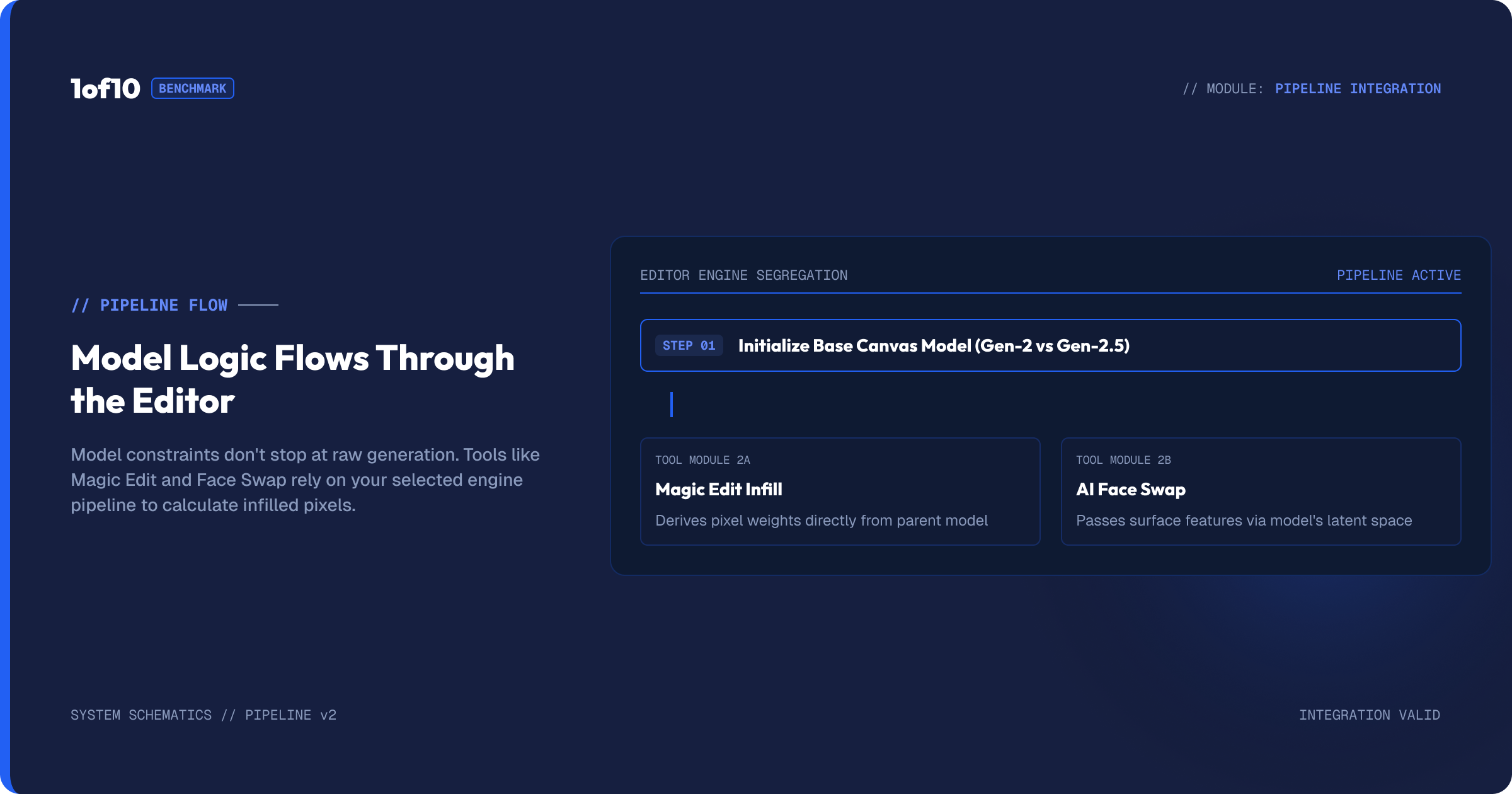
Choosing a model is not only a generation decision. Some editor tools generate too, so the model carries through to your final touches. When you use Magic Edit to change a region of a thumbnail, the tool is generating new pixels into that area, and the model influences how that edit renders. The same logic applies when you re-prompt a whole image from the editor's prompt box.
In practice this means consistency is worth keeping. If you generated a photoreal thumbnail on Gen-2, the edits you make to it will sit most naturally when they match that photoreal character. If you built a clean graphic thumbnail on Gen-2.5, graphic-style edits will blend best. It is not a hard rule, and you can mix when a specific edit calls for it, but it is a reason to think about your model choice as something that shapes the whole thumbnail, generation and editing alike, rather than a single decision you make once and forget. The Magic Eraser and Text tools do not generate in the same way, so they behave consistently regardless of model, but anything that creates new image content inherits the strengths of whichever model you are on.
The takeaway
Two models, two jobs. Gen-2 for faces and photoreal scenes, Gen-2.5 for graphics, speed, and cost. Run the two-generation test once on a real prompt, pick your channel's winner, and set it as your default. Then spend your energy on the part that actually moves click-through rate: the prompt and the edit. The full pipeline is in The Complete Guide to the 1of10 Thumbnail Generator.