
The 1of10 Chrome Extension for YouTube: What It Shows on Every Page
The 1of10 Chrome extension for YouTube puts an outlier score on every video you see, right on the YouTube page. The score compares a video's views with that channel's normal views: 7.1x means it did 7.1 times the channel's typical views. It works on the homepage feed, watch pages, channel pages, search results and Shorts, and the core scores are free.
Most results for a chrome extension youtube search are built for viewers: ad blockers, player tweaks, feed removers. This one is for creators. The 1of10 Chrome extension is a research layer. You browse YouTube the way you already do, and the numbers you would normally work out by hand sit next to every thumbnail. The full list of viewer and creator add-ons lives in our guide to YouTube Chrome extensions. This post covers one extension: what it shows, where, how to use it, how to install it, where it stops.
What does the 1of10 Chrome extension for YouTube show?
Six things, all attached to the videos already on your screen: an outlier score, a ranking against videos published around the same time, a views-per-hour history, a log of title and thumbnail changes, a similar-videos finder, and an idea generator. The outlier score is the one you will use most. It answers the only research question that matters: did this video beat its channel?

| What you see | What it means | Free or paid |
|---|---|---|
| Outlier score (e.g. 7.1x) | Views versus that channel's typical video | Free |
| Video ranking | Where it sits against videos published around the same time | Free |
| Views over time (VPH) | Views per hour, when it took off, when it stalled | Free |
| Title and thumbnail tracking | Before and after, side by side, when the creator changes packaging | Free |
| Similar videos | Other videos with a similar title or thumbnail across YouTube | Limited free, unlimited on a paid plan |
| Video ideas | Fresh ideas inspired by the video, tailored to your channel | Pro (uses AI credits) |
The outlier score strips channel size out of the number. 200,000 views is a flop for a channel averaging 2 million and a breakout for one averaging 20,000. It is the same multiplier 1of10 uses in its outlier search, pulled onto YouTube itself.
Title and thumbnail tracking matters because creators swap packaging after upload, and the swap is often why a video climbed. YouTube does not show the old version; the extension keeps it. Impressions and click-through rate stay private to the owner, per YouTube Help, so a public before-and-after is the closest you get to someone else's CTR.
Where does it show up on YouTube?
Everywhere you browse: the homepage feed, video watch pages, channel pages, search results and Shorts. Scores load as videos scroll into view and responses are cached, so YouTube does not slow down.
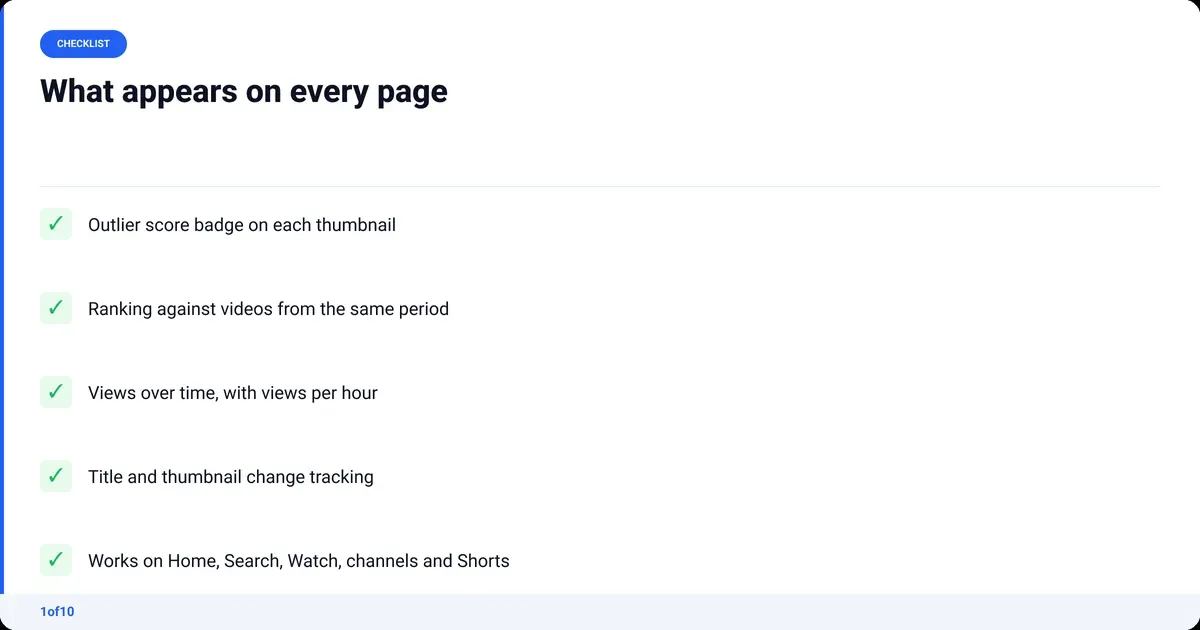
- Homepage feed: scores on every recommended video.
- Search results: read the scores down the list. The 12x next to a 4,000-subscriber channel is your lead.
- Channel pages: the whole back catalogue scored in one scroll, so a competitor's two or three outliers stand out.
- Watch pages: the full panel. Score, ranking, views over time, packaging history, similar videos, ideas.
- Shorts: the same score, where most tools go blind.
How do creators use it in a research session?
Research stops being a separate task. You do it while you watch. A session takes about ten minutes and ends with two or three ideas that already have evidence.


- Search your topic on YouTube and scan the scores. Ignore the big channels; look for a high multiplier on a small one.
- Open the video and check the views-over-time curve. A steady climb means the format has legs. A one-day spike was a news moment.
- Check the packaging history. If the title or thumbnail changed right before the climb, the change is the lesson, not the topic.
- Scroll the channel's Videos tab and note which uploads are outliers and which are not. The difference is their winning format.
- Use similar videos to find three or four other channels that ran the same format. Twice is a pattern; once is luck.
If you would rather start from a list than YouTube's search bar, finding YouTube competitors covers picking the channels to watch, and tracked channels keeps their new uploads in one feed.
How to install YouTube extensions like this one
Chrome extensions install from the Chrome Web Store in one click; Google's instructions for installing and managing extensions cover the general case. The 1of10 extension takes under a minute.
- Open the 1of10 extension listing on the Chrome Web Store in Chrome.
- Click Add to Chrome, then Add extension in the confirmation box.
- Click the puzzle-piece icon right of the address bar and pin 1of10 so it stays visible.
- Open any YouTube page and sign in to your 1of10 account when asked. A free account is enough for the scores.
- Reload YouTube if it was already open. Scores appear on thumbnails as they load.
Is the 1of10 extension free?
The core is free. Outlier scores, video rankings and views over time cost nothing and need no paid plan. Three things sit behind one: unlimited similar-video discovery, AI video ideas, and unlimited channel tracking. Only idea generation spends credits (8 a run), and every plan includes some.

- Free: scores, rankings, views over time, packaging history, limited similar-video lookups, competitor tracking and 60 AI credits a month.
- Basic ($19/mo, or $15/mo billed yearly; checked Oct 2026): the full research tier and 150 AI credits a month.
- Pro ($89/mo, or $69/mo billed yearly): 1,000 AI credits a month for the idea generator and the other AI tools.
The full breakdown is on the pricing page. If you only ever use the scores, you never pay.
What the extension does not do
It is not a viewer extension. It will not block ads, remove the Shorts shelf, change the player or download videos.
It does not show private data. Impressions, click-through rate and retention are only visible to the channel owner inside YouTube Analytics. The extension reads public signals (views, publish date, title and thumbnail history) and builds its scores from those. That is why the outlier score is the right public proxy: it needs no access to anyone's Studio.
It is Chrome only. There is no Firefox or Safari build.
For the wider toolkit, the YouTube SEO tools pillar compares what each tool does well, and YouTube analytics for other channels covers what you can see about a channel you do not own.
Frequently asked questions
Which extension is best for YouTube?
It depends on the job. For watching, viewer tools that block ads or hide recommendations win. For making videos, the best YouTube Chrome extensions put research data on the page: outlier scores, rankings, packaging history. The 1of10 extension does that free on every YouTube page, so it is the one creators should install first.
Are Chrome extensions free?
Most are free to install from the Chrome Web Store, and many stay free. Some, including creator tools, keep extra features on a paid plan. The 1of10 extension's core (outlier scores, video rankings, views over time) is free; unlimited similar-video discovery, AI ideas and unlimited channel tracking need a paid 1of10 plan.
How do I install the 1of10 extension?
Open the 1of10 listing on the Chrome Web Store, click Add to Chrome, confirm, then pin it from the puzzle-piece menu next to the address bar. Open YouTube, sign in to your 1of10 account when prompted (a free account works), and reload the page. Outlier scores appear on thumbnails as they load.
What is a YouTube outlier extension?
An outlier extension scores each video against its own channel's average instead of showing raw views. A 7.1x score means the video earned 7.1 times what the channel normally gets. Small-channel hits become visible next to big-channel misses, which is what you need when looking for formats to borrow rather than channels to envy.
Does it work on a phone or Chromebook?
Chromebook, yes: it runs Chrome, so the extension installs from the Chrome Web Store the same way. Phone, no: the YouTube apps on Android and iPhone do not run Chrome extensions. On mobile, use the 1of10 web app for outlier search instead. Shorts are covered on desktop Chrome.