
YouTube Stats: What Is Public, What Is Private, and How to Read Both

YouTube stats come in two piles. The public pile sits on any channel page: subscriber count, total views, number of videos, join date, and the views, likes and upload date on every video. The private pile lives in YouTube Studio and only the owner sees it: impressions, click-through rate, watch time, retention, traffic sources and revenue. Everything a stat site shows you is built from the public pile.
That matters because most "YouTube stats checker" sites in the search results sell estimates dressed up as data. The numbers they can actually see are the same seven you can see by opening the channel. This post covers both piles, how to read them without fooling yourself, the manual ways to check any channel, and what 1of10's Tracked Channels adds: every new upload scored against that channel's own average, so a spike is obvious the day it happens.
For the full tour of your own Studio reports, start with the YouTube analytics guide. This post is about the numbers you can read from outside.
What YouTube stats can anyone see?
Anyone can see four channel-level numbers and three video-level numbers without logging in. Channel: subscriber count, total views, number of videos and join date, all in the About panel. Video: view count, like count, comment count and publish date. Dislikes are hidden from viewers. Everything else, including watch time and click-through rate, is private to the owner.

Where each number lives:
- Channel header: name, handle, subscriber count and video count, right under the banner.
- About panel: tap "more" under the channel description. It lists the full description, links, join date, total channel views, subscriber count, video count and the country if the owner set one.
- Video page: views, likes, comment count, publish date, description and chapters.
- Videos tab: sort by Latest, Popular or Oldest. Popular is the channel's all-time top list.
Two caveats. The public subscriber count is shortened: YouTube Help says the audience sees "a shortened version of your subscriber count", exact under 1,000 and rounded to three digits above that, so 12.3K means roughly 12,300. And owners can hide the count entirely in Studio settings. A channel with no visible count is not a channel with zero subscribers.
What YouTube stats only show in YouTube Studio?
Studio shows the stats that explain the public numbers: impressions, click-through rate, average view duration, retention, traffic sources, search terms, demographics, unique viewers, exact subscriber changes and revenue. None of that leaves Studio. When a site claims to know a channel's earnings or CTR, it is estimating from public views.

| Stat | Public channel page | YouTube Studio only |
|---|---|---|
| Subscriber count | Yes, shortened | Exact, with daily gains and losses |
| Total views | Lifetime total in About | Any date range, per video, per source |
| Views per video | Yes | Yes, plus unique viewers |
| Likes | Yes | Yes, plus dislikes |
| Impressions and click-through rate | No | Yes |
| Watch time and average view duration | No | Yes |
| Audience retention | No | Yes |
| Traffic sources and search terms | No | Yes |
| Age, gender, country of viewers | No | Yes |
| Realtime views (last 48 hours, last 60 minutes) | No | Yes |
| Revenue and RPM | No | Yes, Partner Program channels only |
Public stats tell you what happened; Studio stats tell you why.
How do I see my YouTube stats?
Open YouTube Studio, click Analytics in the left menu, and you get four tabs: Overview, Content, Audience and Revenue. Overview shows channel views, watch time and subscribers for any date range plus a realtime card. Per-video stats open from Content by hovering a video and choosing Analytics. The Studio mobile app shows the same tabs.
Step by step on desktop:
- Go to studio.youtube.com and sign in with the account that owns the channel.
- Click Analytics in the left menu. The date picker defaults to the last 28 days.
- Overview: views, watch time, subscribers, and a realtime card for the last 48 hours and 60 minutes.
- Content: impressions, click-through rate, average view duration and top content.
- Audience: returning versus new viewers, and demographics.
- Revenue: appears once the channel is in the Partner Program.
- Advanced mode (top right) compares videos side by side, exports a CSV, and filters by traffic source.
For a single video, hover it under Content and click the Analytics icon; the same tabs open scoped to that upload, including the retention graph. YouTube Help's Analytics overview lists every current report if a tab has moved.
Impressions are the number most creators misread. YouTube only counts one when the thumbnail shows for more than one second with at least half of it on screen, per YouTube's impressions documentation. External embeds and background tabs do not count.
How to read YouTube channel stats
The classic mistake with YouTube channel stats is judging a channel by its subscriber count. Subscribers are a history of everything the channel ever did. Views per video are what it does now. Five reads fix most of the confusion.
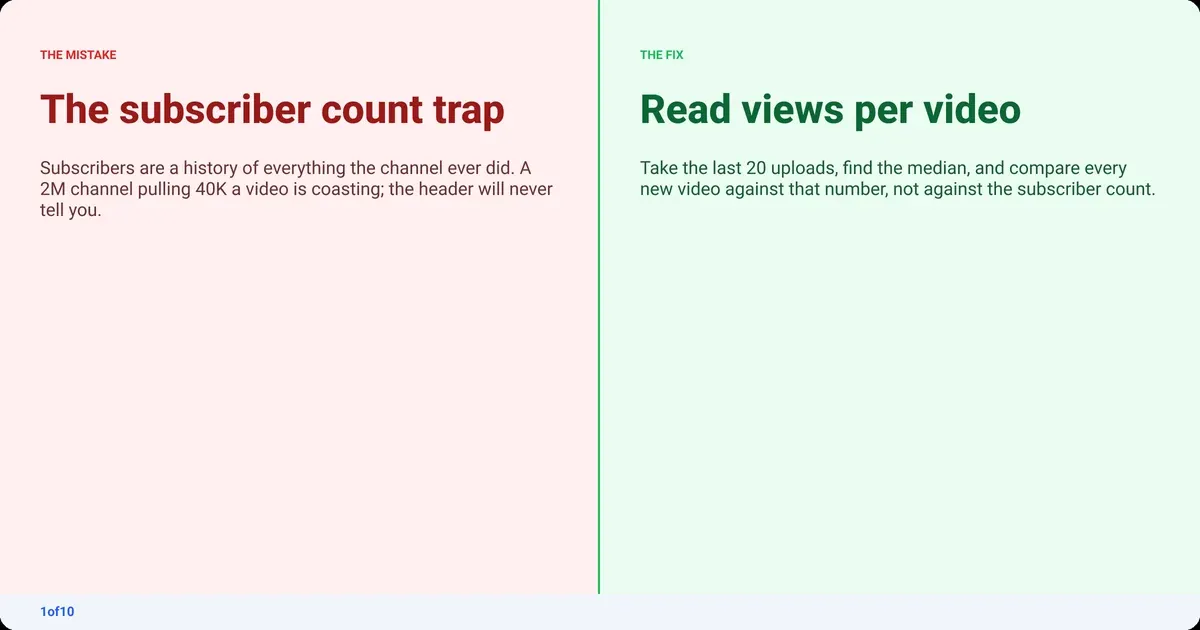
1. Views per video, not total views. Total views divided by video count is a lifetime average, dragged around by the oldest uploads. Take the last 20 videos and use the median. That is the channel's baseline in 2026, not its best year.
2. Views against subscribers. 2 million subscribers and 40,000 views a video is coasting on old growth. 80,000 subscribers and 300,000 views a video means the algorithm is pushing the format to non-subscribers. The second channel is the one to study.
3. Upload cadence. The About panel does not show it, so scroll the Videos tab. Three uploads a week at 50,000 and one a month at 500,000 are both healthy; they are just not comparable on totals.
4. The shape, not the average. If every recent video sits in the same band, the channel is stable. If most sit low and two or three sit ten times higher, those two or three are the reason you are looking at it.
5. Channel age. 200,000 subscribers after six months and 200,000 after eight years are different stories, and only one of them is growing.
| Two channels, same subscriber count | Channel A | Channel B |
|---|---|---|
| Subscribers | 500K | 500K |
| Median views, last 20 videos | 35,000 | 220,000 |
| Uploads per month | 12 | 4 |
| Views above the median in last 20 | 2 videos | 9 videos |
| What the numbers say | Large audience, low reach | Smaller audience, real momentum |
Channel B is the one worth tracking, and nothing in the header would have told you that. It is why a YouTube subscriber tracker on its own disappoints people: it graphs the one number that says the least.
How do you check YouTube stats for other channels?
You check another channel's stats the same way you check your own public page: open the channel, read the About panel, and sort the Videos tab. Then write the numbers down, because YouTube shows you the present and not the trend. The manual methods cost nothing but time, and time is the part a tracker replaces.

The routine, per channel:
- Open the About panel. Note subscribers, total views, video count and join date.
- Videos tab, sorted by Popular. Screenshot the top nine: the all-time hits and the formats the channel is known for.
- Videos tab, sorted by Latest. Write down the view counts of the last 20 uploads and find the median. Flag anything more than three times it.
- Open the flagged videos. Title, thumbnail, likes against views, top comments. That is where the format lesson is.
- Repeat weekly. Views on a fresh upload keep moving for days. A snapshot at 24 hours and another at 7 days tells you more than either alone.
Stat sites like Social Blade automate step 1 and add a daily history (compare them in Social Blade alternatives and ViewStats alternatives): subscribers and views gained per day. Useful for the trend line, with two catches. Their earnings figures are public views multiplied by an assumed range of ad rates, which is why the spread is ten times wide. And they track channels, not videos, so they tell you a channel had a big week without telling you which upload caused it.
The guide to YouTube analytics for other channels goes deeper on the manual process, and how to find and track your YouTube competitors covers choosing which channels to watch.
The routine takes ten minutes per channel. For thirty channels, every week, it is a part-time job. That is where the spreadsheet stops being worth it.
What YouTube video stats tell you
Per-video stats are the smallest unit of public data and the most useful one. Any video page gives you views, likes, comment count and publish date. Read against the channel's baseline, those four numbers tell you whether the video is normal, dead or an outlier, and roughly how the audience received it. Always read them against the channel, never against the whole platform.
- Views versus the channel median. 300,000 views is huge for a 20,000-median channel and a miss for a 2-million-median channel. The ratio is the stat.
- Likes as a share of views. Compare with the same channel's other videos. A drop on one upload usually means the packaging promised something the video did not deliver.
- Comments. Comments per view is a rough proxy for how much conversation the video started, and the top comments tell you what the audience actually took from it.
- Publish date next to views. 100,000 views after three days and 100,000 after three years are not the same video.
What the video page cannot give you: watch time, retention and click-through rate. If a checker shows a CTR for someone else's video, it made it up.
What Tracked Channels and outlier scores add
The manual routine works. It just does not scale, and it has a blind spot: it compares channels by size when the useful comparison is a video against its own channel. 1of10 fixes both. Every video across 1of10's outlier database of 300,000+ high-performing videos and 62.6 billion analysed views carries an outlier score: that video's views measured against the channel's own average.

That puts a 20,000-subscriber channel and a 2-million-subscriber channel on the same scale. A 10x on either means the same thing: this upload did ten times what the channel normally does, so the title, thumbnail or format did something worth copying.
What Tracked Channels does with that score:
- Add any channel and its uploads land in a feed with the outlier score on every video. Every plan includes it.
- New uploads arrive scored, so you see the spike the day it happens, not in a spreadsheet the following week.
- Sort and filter by score, date and views. The thirty-channel weekly review becomes a two-minute scroll of what broke out.
- The 1of10 Chrome extension shows the outlier score on YouTube itself, on channel pages and in search, so the median check happens while you browse.
Outlier research never uses credits on any plan, including Free. AI credits meter generation, never search, so tracking and scoring never run out.
| Task | Manual, per channel | Tracked Channels |
|---|---|---|
| Find the channel baseline | List 20 videos, compute a median | Done, and kept current |
| Spot a breakout upload | Weekly check of the Latest tab | Scored the day it publishes |
| Compare channels of different sizes | Not really possible on raw views | Same outlier scale for every channel |
| Cost | Your time | Included on the free plan |
The limits of public YouTube statistics
Public YouTube statistics have a hard ceiling, and a tool honest about that ceiling is worth more than one pretending it is not there. Four things cannot be read from outside a channel, however a checker presents them.
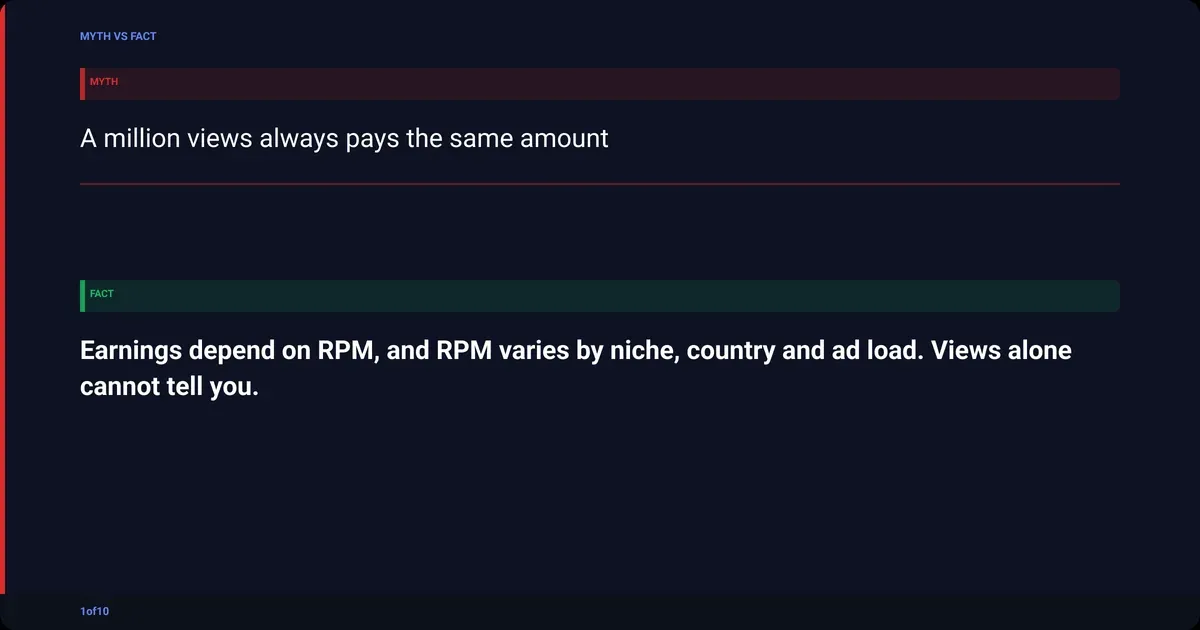
- Earnings. Revenue depends on RPM, which depends on niche, audience country, ad load and how much watch time came from Shorts. Any public estimate is views multiplied by a guessed rate. The YouTube CPM and RPM by niche breakdown shows how wide that guess is.
- Click-through rate and impressions. Studio only. A checker cannot see how many people scrolled past the thumbnail.
- Watch time and retention. Studio only. Public views do not say whether people stayed 30 seconds or 30 minutes.
- Shorts versus long form. Total channel views blend both. A channel posting daily Shorts can show a huge public total with modest long-form numbers underneath. The Videos tab is the only public way to separate them.
Frequently asked questions
How do I see my YouTube stats?
Sign in at studio.youtube.com and click Analytics in the left menu. The Overview tab shows views, watch time and subscribers for the selected date range, with a realtime card for the last 48 hours. Content shows impressions and click-through rate, Audience shows who is watching, and Revenue appears once the channel is in the Partner Program.
Can I see stats for other YouTube channels?
Yes, the public ones. Open the channel and tap "more" under the description for subscribers, total views, video count and join date, then sort the Videos tab by Popular or Latest for per-video views. Impressions, click-through rate, watch time and revenue are private. Tools like 1of10's Tracked Channels automate the public side and score each upload against the channel's average.
Why is the subscriber count on my channel page different from Studio?
The public channel page shows a shortened count, exact under 1,000 subscribers and rounded to three digits above that, so 12.3K stands for roughly 12,300. Studio shows the exact figure and updates it with daily gains and losses. The two numbers are the same subscribers displayed at different precision, not a counting error.
Does YouTube pay $4,000 for 1 million views?
Sometimes, but it is not a rule. $4,000 per million views equals a $4 RPM, which some niches clear and others do not. Finance and business channels with US audiences can earn several times that; gaming, music and Shorts-heavy channels often earn well under it. Public view counts cannot tell you a channel's RPM. The YouTube pay per view guide has real ranges by niche.
How many views do you need on YouTube to make $1,000 a month?
It depends entirely on RPM (try your numbers in the free YouTube money calculator). At a $2 RPM you need 500,000 monetised views a month; at $10 you need 100,000. Views from Shorts pay far less than long-form views, so a channel's mix matters as much as its total. Work backwards from your own Studio RPM rather than a platform average, because the range across niches is wider than most people expect.
What is a YouTube stats checker, and are the numbers accurate?
A YouTube stats checker is any site that reads a channel's public numbers, stores them daily, and graphs the trend. The subscriber, view and video counts are accurate because they come straight from the public page. Earnings, CTR and watch-time figures on those sites are estimates or placeholders, since YouTube only shows those to the channel owner in Studio.